AI TOOL / #08614
Vera AIChatBot 4.0 – Turbo
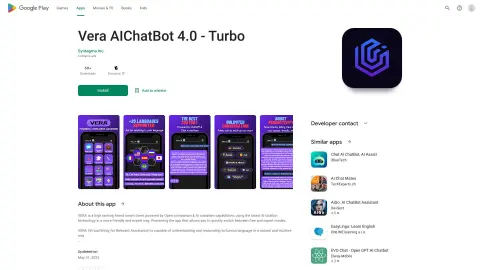
VERA is an AI chatbot that features both self-learning capabilities and expert modes, offering services in areas such as education, travel assistance, and companionship.
Introduction
VERA is an AI chatbot with free and expert modes, offering education, travel assistance, and companionship.
What is Vera AIChatBot 4.0 – Turbo?
VERA is a user-friendly intelligent assistant that leverages the capabilities of OpenAI and other AI technologies, combined with state-of-the-art chatbot technology, to provide both friendly and professional assistance. It features a unique design that allows users to quickly switch between self-learning mode and expert mode. VERA is capable of naturally understanding and responding to human language. It can serve as an educator, a travel expert, or a companion powered by AI, and it adapts its behavior based on user needs through machine learning. It supports multiple languages and retains a record of all conversations. Additionally, VERA offers a night mode to protect users’ eyes, making it an advanced and convenient tool for interacting with AI-powered robots.
How to use Vera AIChatBot 4.0 – Turbo?
Download the VERA AIChatBot 4.0 – Turbo application from the Google Play Store. Interact with VERA through its chat interface and switch between self-learning mode and expert mode as needed. This app can be used for educational inquiries, travel planning, or just for casual conversations. It will continuously learn based on your interactions, allowing it to adjust its responses more effectively over time. You can also change the language settings and view or delete previous conversation records.
Core features of Vera AIChatBot 4.0 – Turbo
AI-powered chatbots that are capable of self-learning and operating in expert mode.
educational tutoring
Travel planning assistance
An AI companion that provides personalized responses
Multilingual support
Saving and deleting conversation records
Night mode is designed to protect your eyes.
Related
Linux command search
Linux Command is a repository that compiles various Linux commands. Currently, it contains more than 570 Linux commands, each accompanied by detailed manuals, explanations, and learning resources. The author has organized these contents into a comprehensive collection.
Gallerix Museum of Famous Paintings
"Gallerix" is the largest virtual museum on the Russian Internet and one of the largest virtual museums in the world, as well as the most cited painting website according to Yandex. It supports Chinese, so no translation is needed. "Gallerix" is a private, non-profit website aimed at
National Smart Education Platform
The "National Smart Education Public Service Platform" is a smart education platform guided by the Ministry of Education of the People's Republic of China and hosted by the Educational Technology and Resource Development Center of the Ministry of Education (Central Audio-visual Education Center). It was officially launched on March 28, 2022. The National Smart Education Public Service Platform has three major sections:
Cloudconvert Cloud Conversion Service
CloudConvert is an online file format converter. It supports the conversion of over 200 different file formats, covering almost all types of audio, video, documents, e-books, archives, images, spreadsheets, and presentation files. For example, P…
Free commercial fonts
100font 100font is a website dedicated to collecting and organizing free-for-commercial-use font resources. Currently, the number of free fonts that have been selected and shared on this website has exceeded 150! Each font is stored directly in the online file storage system, allowing users to download them immediately.
Internal online shopping coupons
Everyone loves discounts! This website allows you to search for internal coupons from Taobao, Tmall, JD.com, and Pinduoduo with just one click. Save dozens or even hundreds of yuan on every purchase you make! Simply copy the product link from Taobao, JD.com, or Pinduoduo and paste it into the search bar to find the corresponding internal coupon for that item.