AI TOOL / #08265
LlamaChat
Chat locally with the LLaMA, Alpaca, and GPT4All models on your Mac.
Introduction
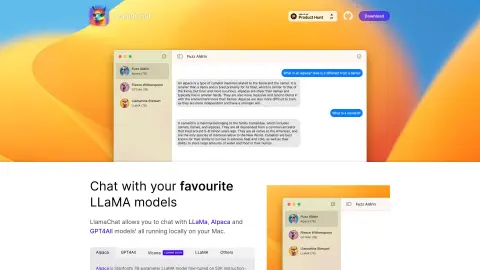
Chat with LLaMA, Alpaca, and GPT4All models locally on your Mac.
What is LlamaChat?
LlamaChat is an application that allows users to engage in local conversations with LLaMA, Alpaca, and GPT4All models on their Mac computers. It supports the import of both original PyTorch model checkpoints and pre-processed .ggml model files. LlamaChat is open-source and free to use, and it is built upon libraries such as llama.cpp and llama.swift.
How to use LlamaChat?
Download LlamaChat and obtain the model files accordingly. Follow the terms and conditions specified by their respective sources, and then import these model files into LlamaChat to start chatting with the selected Large Language Model.
The core features of LlamaChat
Chatting locally with the LLaMA, Alpaca, and GPT4All models
Import either the original PyTorch model checkpoint or the pre-converted .ggml model file.
Open-source and free to use
Related
Relay by BackOps.ai
BackOps.ai uses AI to automate logistics and supply chain operations, thereby improving efficiency and reducing the need for manual intervention.
Volv: elevate shopping experience
AI and AR platforms are used for product try-on functions as well as to automate autonomous AI tasks.
Spell AI
Spell: Entrusts tasks to autonomous AI agents and their plugins, utilizing GPT-4 technology.
Solvea
An AI-powered virtual assistant for automated customer support.
Fill A Form AI
AI-powered agents enable one-click form completion, saving time and reducing the likelihood of errors.
BrowserAgent
Create a custom AI agent to automate browser tasks without incurring any API fees.