AI TOOL / #07230
hahaOCR
Extract text from the image; press the ESC key to exit.
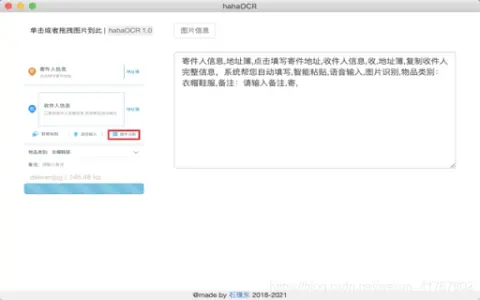
Introduction
Extract text from images and exit with ESC.
What are the Image to Text and ESC Exit App AI Chrome extensions/plugs?
This application allows users to extract text from images and convert it into editable text. Users can upload images by clicking a button and exit the application by pressing the “ESC” key.
How to use the Image to Text & ESC Exit App AI Chrome extension/plug-in?
Click the upload button to select an image. The application will automatically extract the text from the image and display it. Press the “ESC” key to exit the application.
The core functionality of the Image to Text and ESC Exit App AI Chrome extension/plugin.
Image to Text conversion
Use the ESC key to exit the function.
Related
Minimap AI
An artificial intelligence-driven platform for game curation and discovery, offering personalized recommendations and an online store.
FPL Genius
AI-powered optimization for FPL, utilizing data-driven insights to maximize points earned.
Trend Forecast
An AI-based fashion trend analysis and forecasting platform serving e-commerce.
Inventory365
An artificial intelligence-based inventory management platform, suitable for product sellers.
Arcana Vibes
Personalized Tarot readings and astrological insights are provided based on AI and an individual's birth chart.
What to Watch
A Chrome extension that provides personalized recommendations for TV shows and movies on streaming services.