AI TOOL / #07211
ChatGPT Visioner for Screenshot Reading and Analysis
A Chrome extension that integrates screenshots into ChatGPT conversations for analysis and accurate responses.
Introduction
Chrome plugin for integrating screenshots into ChatGPT conversations for analysis and accurate responses.
What is the ChatGPT Visioner AI Chrome extension/plugin?
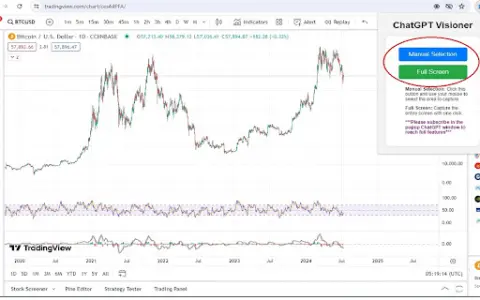
ChatGPT Visioner is a Chrome extension that enhances browsing and productivity by capturing screenshots of web pages and integrating them into ChatGPT conversations. It allows users to enter prompts and automatically saves and retrieves screenshots, enabling ChatGPT to analyze the content of the screenshots and provide accurate responses. The extension can process both image content and text within images, making it ideal for tasks such as text manipulation and chart analysis.
How do I use the ChatGPT Visioner AI Chrome extension/plugin?
Install the ChatGPT Visioner Chrome extension. Capture a screenshot of the active web page by selecting an area manually or taking a full-screen screenshot. Enter a prompt, which will be automatically saved. The extension sends the screenshot and prompt to ChatGPT for analysis and a response. Review and edit the response as needed.
Core Features of the ChatGPT Visioner AI Chrome Extension/Plugin
Screenshot Capture and ChatGPT Integration
Prompt Input and Management
Automatic Prompts for Saving and Retrieving
Save the conversation as a Word file
Related
Mathos AI
An AI math tutor that helps solve problems by taking pictures
mini-browser-games
An open-source collection featuring 106 active, single-file HTML5 games—all of which are packaged within a single HTML file. No development or backend setup is required; these games can be played online immediately. Quality is the top priority, and this collection includes notable titles such as “Mountain and Sea Demon Subjugation” and “Star Furnace Workshop”; some of them also support online multiplayer mode.
bonds
Group chat apps that integrate with AI assistants
RigSpark
I’ll help you choose an open-source AI model that can be run on that machine.
DuckStation
An open-source PlayStation 1 emulator that places a focus on playable experience, speed, and long-term maintainability. It supports multiple platforms including Windows, Linux, macOS, and Android, making it one of the most popular PS1 emulators currently available.
DOSBox Staging
A modernized version of DOSBox, which provides a more user-friendly simulation environment for DOS games and older software. It is compatible with Windows, macOS, and Linux platforms.