AI TOOL / #07150
ocrX Image to Text
OCRX is an application designed for scanning and extracting text from images, supporting over 100 different languages.
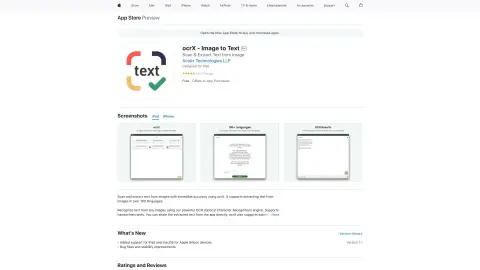
Introduction
ocrX is an app to scan and extract text from images, supporting 100+ languages.
What is OCRX – Image to Text?
ocrX – Image to Text is an application available for iPhone, iPad, and macOS that allows users to scan images and extract text from them. It supports over 100 languages and provides features for sharing as well as exporting the extracted text in TXT or PDF format. This app utilizes optical character recognition (OCR) technology to identify text, including handwritten text, from images.
How to use ocrX – Image to Text?
To use OCRX, open the application, click the “New” button, select an image from your photo library, and you can crop the image if necessary. Then, choose the language of the text. The application will automatically scan and extract the text for you.
ocrX – The core functionality of converting images into text
Scan and extract text from the image.
Supports over 100 different languages.
Share the extracted text.
Export the extracted text in TXT or PDF format.
Edit the extracted text.
Copy the extracted text to the clipboard.
Related
Digital Litchi
Digital Litchi is a genuine software marketplace where you can purchase almost any commonly used software. The platform frequently offers discounts on genuine software, with the prices often being 40% to 60% lower than those available through official channels – which is definitely very cost-effective. For example…
Convert video to GIF
Dongci Video to GIF
This website supports converting videos into animated GIFs online and lets you drag to crop any segment into a GIF. You can choose from three GIF quality levels—high, medium, or low—and select the quality based on the platform you’re using. It can be used for demos in Weibo and WeChat articles.
Online Photoshop editing
miniPaint is an online image editing tool that functions in a manner similar to Photoshop. You can also consider it as a simplified alternative to Adobe Photoshop. miniPaint offers all the basic features of Photoshop, making it an excellent choice for quick and temporary image edits. Key features:
Collection of board games
The board game collection is a multi-player online web-based gaming platform designed specifically for use in offline gatherings. It includes games such as Carta Blanca, Gemstone Blast, Snakes and Ladders, UNO, Who Is the Spy, Avalon, Werewolves, Mafia, German Hearts, The Da Vinci Code, Gomoku, Go, Chinese Chess, Chess, Dou Dizi, and more.
Sordum
sordum.or is a website dedicated to developing small Windows system optimization tools. It has released over a hundred portable Windows system optimization utilities, all available for free download. The website is entirely in English; the screenshot below shows the translated page. &nb
Agile Ai – Integrates over 100 functions
Lingdong Ai Assistant is a product that utilizes artificial intelligence technologies to enhance efficiency in the office setting. It offers a range of AI features, including multi-model question-answering systems (which can be trained and connected to the internet), AI-powered painting tools, an AI knowledge base, capabilities for generating long-form texts, optimizing such texts, and answering questions related to documents. This software is compatible with both Windows and macOS operating systems.