AI TOOL / #06950
Snapshot by AnswersAi
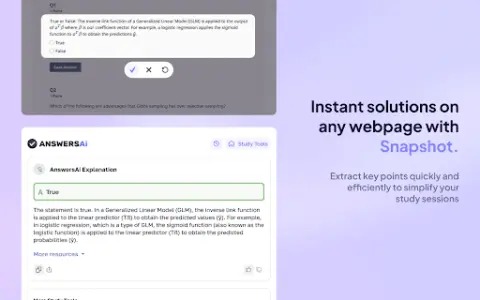
Chrome extension that provides immediate answers and learning assistance through screenshots.
Introduction
Chrome Extension for instant answers and learning support using screenshots.
What is the AnswersAi Chrome extension/plug-in?
AnswersAi is a Chrome extension designed to provide students with immediate and accurate answers. All users need to do is take a screenshot of the question they want help with, and they will immediately receive detailed explanations along with step-by-step solutions. This makes it an extremely useful tool for exam preparation, homework assistance, and enhancing understanding of various subjects.
How to use the AnswersAi Chrome extension/plug-in?
Install the AnswersAi Chrome extension. When you encounter a problem, use this extension to take a screenshot. AnswersAi will then provide you with detailed explanations and solutions.
The core functions of the AnswersAi Chrome extension/plug-in
Instant answers are provided through screenshot analysis.
Provide a comprehensive explanation along with step-by-step solutions.
Supports multiple disciplines
Seamlessly integrated with the browsing experience
Related
Mealmind
AI-powered dietary planning tools generate personalized meal plans and shopping lists.
Gustave
The AI kitchen timer app ensures that dishes are cooked at the perfect timing.
RecipeGPT
The Recipe GPT system simplifies the process of finding and organizing recipes.
BeanBook
An AI-powered coffee tracking and note-taking app designed for coffee enthusiasts.
Holy Books AI
An AI-powered application that provides insights from the Quran, the Bible, and the Old Testament.
TheoAssist
Resources for Bible study, preaching, teaching, and Q&A.