AI TOOL / #06677
Voice Control for Netflix
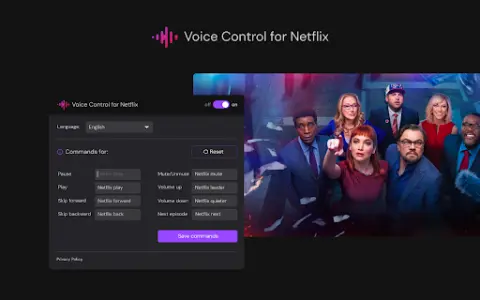
Use voice control to operate Netflix: play, pause, fast-forward, and more.
Introduction
Control Netflix with your voice: play, pause, fast-forward, and more.
What is the Voice Control for Netflix AI Chrome extension/plugin?
Netflix’s voice control allows users to manage their Netflix experience via voice commands. This includes tasks such as playing, pausing, and advancing videos, all without the need to use a remote control or touch the screen.
How to use the Voice Control feature for the Netflix AI Chrome extension/plug-in?
Simply enable Netflix’s voice control, and then use voice commands to control playback, navigate the menu, and search for content.
The core functionality of the Netflix AI Chrome extension/plugin for voice control
Use voice control to operate Netflix playback functions (play, pause, fast forward, rewind).
Hands-free navigation, Netflix menu
Voice search for films and TV shows
Related
Coursnap
Coursnap utilizes AI-powered tools to simplify the process of learning from YouTube courses, enabling faster comprehension and more efficient note-taking.
edCode
EdCode is a platform that makes learning programming easier and more accessible through gamified courses.
AIToolGo
A platform for discovering AI tools and learning resources, equipped with an AI search assistant.
EngineerNow
A platform for engineers to create their resumes and pursue their career development.
Clixie AI
Clixie AI turns videos into interactive experiences with quizzes, chapters, and more.
Canvas AI Builders Program
A two-week sprint program aimed at taking AI agents from idea to production-ready.