AI TOOL / #06631
Voice-to-ChatGPT
Voice-controlled ChatGPT interactions via browser plug-in.
Introduction
Voice-controlled ChatGPT interaction via a browser extension.
What is the Voice-to-ChatGPT ai chrome extension/plugin?
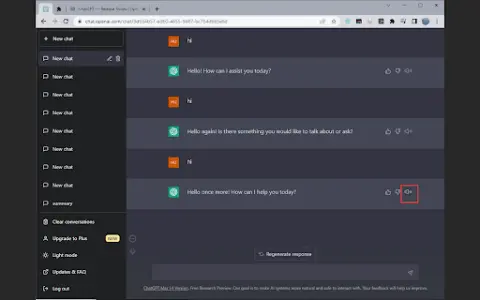
Voice Control ChatGPT is a browser plug-in that allows users to interact with the ChatGPT language model through voice. It leverages Google Chrome's speech recognition and text-to-speech technology to enable users to use voice input and audible replies from ChatGPT. Users can hold down the button to speak their question, release the button to send, and optionally cancel or edit before sending.
How to use Voice-to-ChatGPT ai chrome extension/plugin?
Open the ChatGPT homepage, press and hold the Talk button to speak, and release the button to send your question. You can cancel or edit your entry before sending.
Voice-to-ChatGPT ai chrome extension/plugin core functionality
Voice input to ChatGPT
Text-to-speech output for ChatGPT
Major languages supported
Press and talk function
Related
formx ai
FormX.ai utilizes artificial intelligence to automatically extract data from documents, thereby enhancing efficiency and reducing costs.
StructiFi
AI-powered OCR and data extraction tool for structured data conversion.
Nanonets Web Scraper & Image to Text OCR
Web crawlers, tools for converting images into text, and programs for extracting data from tables – all equipped with OCR functionality.
Screenova
Screenova is a Chrome extension designed for capturing screenshots, extracting text data, and performing AI-driven analyses.
JPG to Text
Online OCR tools are used to extract text from images and convert it into editable format.
Unitlab AI
AI-powered data annotation platform that delivers accurate machine learning labels and efficient collaboration.