AI TOOL / #06525
Whisper Text Reader
Browser plug-in that reads selected text aloud using text-to-speech technology.
Introduction
Browser extension that reads aloud selected text using text-to-speech technology.
What is Read Aloud ai chrome extension/plugin?
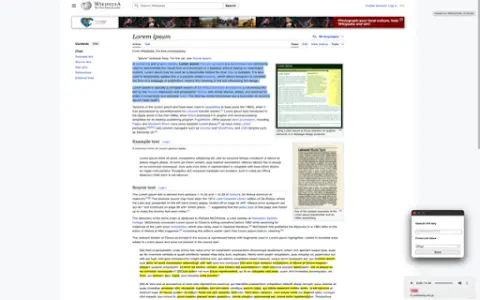
Read Aloud is a browser plug-in that uses text-to-speech (TTS) technology to read web page text aloud. It supports multiple voices and languages, allowing users to customize their listening experience. The plug-in integrates seamlessly with web browsers, allowing users to easily select text and have it read aloud with a right-click.
How to use Read Aloud ai chrome extension/plugin?
Highlight selected text on a web page, right-click and select "Speak this text" to have the plug-in speak the selected text.
Read Aloud ai chrome extension/plugin core features
Text-to-speech functionality for web text
Related
Learn Prompting
Free and open-source courses to help you understand how engineering and AI can communicate with each other.
INAI Academy app
INAI Academy leverages artificial intelligence to offer courses relevant to new careers.
Generative AI: An Executive Guide
A guide for executives on how to leverage generative AI and LLM in their organizations.
Discoursefy
Discoursefy is an AI-powered technology skills learning platform with career development capabilities.
Coursezy
AI-powered platforms enable the quick creation of customized courses that include interactive elements.
Learn Prompting Pro
Use GPT-4 to learn tips on artificial intelligence that can help improve the effectiveness of your content, SEO strategies, and marketing efforts.