AI TOOL / #06135
Ask Screenshot for ChatGPT
Improve ChatGPT productivity by analyzing screenshots and selected text.
Introduction
Enhances ChatGPT productivity by analyzing screenshots and selected text.
What is the Ask Screenshot AI Chrome extension/plugin?
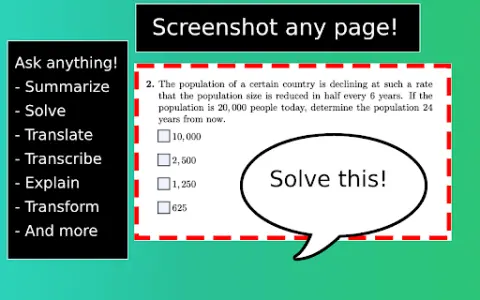
Ask Screenshot is a tool designed to improve productivity in ChatGPT, allowing users to analyze screenshots or selected text directly within ChatGPT. It offers features such as summarization, transcription, and translation, making it easier to extract information and process content from visual and textual sources.
How do I use the Ask Screenshot AI Chrome extension/plugin?
To use Ask Screenshot, right-click anywhere on any page and hover over Ask GPT to access the available screenshot templates. For selected text, right-click the selected text and hover over Ask GPT to view the available templates.
Core features of the Ask Screenshot AI Chrome extension/plugin
Screenshot and analyze: Take a screenshot and automatically open it in ChatGPT for analysis.
Text selection and analysis: Right-click any selected text to automatically open it in ChatGPT.
Related
Citeclops
A powerful tool for quickly generating citations
PaperGen
An AI writing assistant designed to help create high-quality, plagiarism-free papers and articles, featuring automated citation functionality.
GetTxt.AI
An API used for extracting text and Markdown from documents, audio files, images, and videos.
Torii Image Translator — Use GPT-4 & DeepL to Translate Any Image
Chrome extension that translates text within images directly in the browser.
Whisperback
An AI-powered platform for translating audio books and podcasts.
Suggesty
A time-saving tool that provides direct answers, eliminating the need to scroll through search results.