AI TOOL / #05876
Do Browser
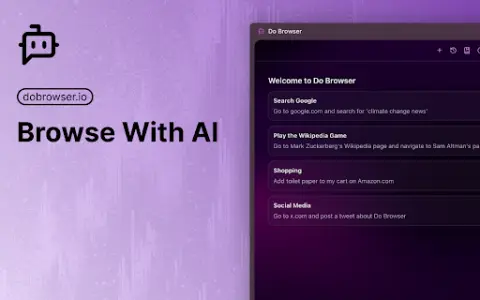
An AI-powered Chrome extension that enables control of the browser via natural language commands.
Introduction
AI-powered Chrome extension for browser control using natural language.
What is a Do Browser AI Chrome extension/plug-in?
Do Browser is an AI-powered extension for Chrome that allows users to control their browser using natural language commands. It provides quick access through the address bar or keyboard shortcuts and also supports voice commands. Its purpose is to simplify tasks such as filling out forms, shopping, and navigating complex web interfaces.
How to use the Do Browser AI Chrome extension/plug-in?
Enter “do” in the address bar or use the shortcut keys Cmd+K/Ctrl+K to activate the Do Browser. Then, use natural language commands to instruct the extension to perform tasks within the browser.
What are the core functions of browser AI Chrome extensions/plugs?
Natural Language Browser Control
Access via the address bar and keyboard shortcuts
Voice command support available
Related
Client Responder
Automatically reply to comments on posts and send direct messages to potential customers – this saves time and increases engagement.
Xooma Intelligence Network Builder
Quickly identify the most influential individuals and posts within a Facebook group.
FriendFlow
An automated tool for developing potential Facebook customers, designed to generate revenue.
Mujtama.Ai
An AI-powered platform for optimizing LinkedIn profiles and resumes, serving the Arab region.
LinkedIn Prompts Pro
A Chrome extension for creating engaging LinkedIn content and optimizing profiles.
Gpt twit-bot
AI analyzes your tweets to create a personalized Twitter profile and associated image.