AI TOOL / #04214
Spot AI
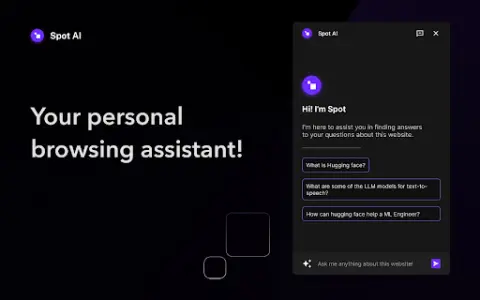
Spot AI reads web pages to answer your questions.
Introduction
Spot AI reads webpages to answer your questions.
What is the Spot AI Chrome extension/plug-in?
Spot AI is a browsing assistant that can read web content and answer questions based on that information. It enables users to easily conduct research and obtain information. It is available as an extension for Chrome and is also compatible with Brave and Arc browsers. Once installed, it can be activated by using the CMD/CTRL + K shortcut key.
How to use the Spot AI Chrome extension/plug-in?
Install the Spot AI extension in Chrome, Brave, or Arc. After installation, activate it by using CMD/CTRL + K. For the best experience, fix the extension in your browser. Then, pose your question, and Spot AI will read the relevant text on the web page to provide you with an answer.
The core functions of the Spot AI Chrome extension/plug-in
Read a web page and answer questions based on its content.
Compatible with Chrome, Brave, and Arc browsers.
Launch it by pressing CMD/CTRL + K.
Related
CharmShotAI
CharmShotAI uses one-click fashion design features to enhance images and also offers privacy protection options.
Pestle
A recipe management app that includes AI-based scanning functionality, diet planning tools, and the ability to share recipes with family members.
Quick Note AI: AI Note Tool
An AI-powered note-taking app that enables efficient note management and content creation.
AIxpense: AI Expense Manager
Intelligent expense manager, enabling automated tracking and analysis.
World Translator: Transl.Learn
An Android app that uses the camera, images, and OCR for language translation.
TranslatesDocument
An online document translator powered by artificial intelligence, supporting over 130 languages and various file formats.