AI TOOL / #04118
CEBot
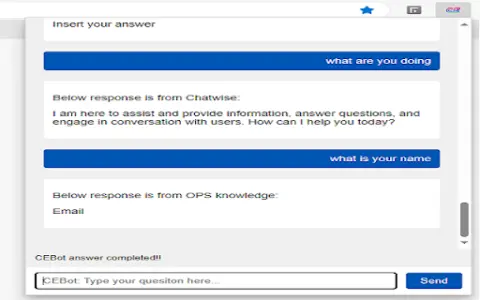
Qualcomm CE's question-answering system based on large language models.
Introduction
LLM based Q&A system for Qualcomm CE.
What is the Qualcomm CEBot AI Chrome extension/plug-in?
QCOM CEBot is a question-and-answer system based on large language models, specifically designed for Qualcomm CE devices. It can be used by clicking with the left mouse button or by pressing Ctrl+Shift+Z.
How to use the Qualcomm CEBot AI Chrome extension/plug-in?
Use CEBot by clicking with the left mouse button or pressing Ctrl+Shift+Z.
The core functions of the Qualcomm CEBot AI Chrome extension/plug-in
Question-answering system based on large language models
Related
Simulate the Windows upgrade interface
Fakeupdate is a perfect tool for slacking off – it simulates the process of your computer being upgraded or infected with a virus, allowing you to fool colleagues and friends into believing that you are currently unable to use your device.
NewCluinn
AI dictation and conferencing assistant on Mac
New fastBrowse
An open-source browser agent that can verify the results
New PatX: Knowledge and Exploration
AI Agent for Patent Drafting and Response
New SiteDrop
Conversational website-building and order-taking platform
New ClawsGO Science
A scientific research AI agent that utilizes cloud computing capabilities