AI TOOL / #04101
NinjaSolver Extension
An AI-based browser extension designed to capture, analyze, and understand web content.
Introduction
AI-powered browser extension for capturing, analyzing, and understanding web content.
What is the NinjaSolver AI Chrome extension/plug-in?
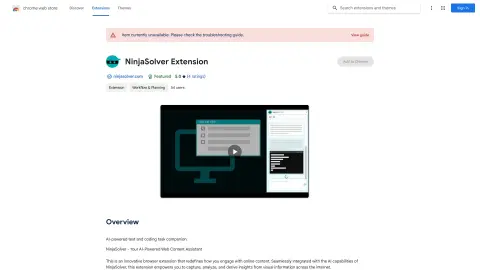
NinjaSolver is a browser extension powered by AI technology, designed to enhance users' interaction with online content. It enables users to capture screenshots or select specific text from web pages, and then uses AI to analyze that content, providing valuable insights directly within the browser.
How to use the NinjaSolver AI Chrome extension/plug-in?
Install the NinjaSolver browser extension. Capture content by taking screenshots or selecting text. Send the captured data to the AI platform for analysis. Access insights and information directly within the browser.
The core functions of the NinjaSolver AI Chrome extension/plug-in
Capturing web page content
Real-time AI analysis
Seamless integration
Enhance user interaction
Multiple compatibility options
Related
white noise
Lately, when I’m working, I like to listen to white noise. The combination of the sounds of rain, thunder, and ocean waves makes me feel as if I’m on a rainy day by the sea, which helps me concentrate easily while working. Here, I would like to share with you two websites that offer excellent white noise options: Defonic and A Soft Murm.
Office Tool Plus
Office Tool Plus is a free and powerful tool for managing Office software installations. It eliminates the difficulties associated with downloading and installing Office applications and allows users to customize the installation process. Additionally, it comes equipped with various useful utilities related to Office.
Parallel translation of PDF documents using Lingban technology
Lingban AI is a browser extension developed using large-scale AI models. It enables your browser to function as an all-round AI assistant, offering features such as AI translation, conversations with AI, AI-assisted writing, AI-based reading and summarization of web pages and papers, information retrieval, note-taking, and drawing tools. With so many efficient capabilities at its disposal, browsing the internet becomes significantly more convenient and productive.
character set
FontSet is a free font download website that offers access to thousands of open-source, free font resources. The website features no advertisements and allows users to download fonts directly without the need to register or log in. Each font is accompanied by a preview and description, with a download button located immediately below the information section. (Some fonts may not have available download files.) It’s important to note the types of fonts available on this website.
Easy-to-search websites – an efficient way to find what you need online
Yisou Site is a web data search engine that can help you efficiently locate high-quality websites. It is an essential tool for promotional and operational purposes, offering features such as quick filtering of SEO-friendly sites, analysis of competitors in the same industry, recommendations for similar websites, queries related to sub-sites, and comparison of website traffic data. For ordinary users, it can serve as a useful alternative to other traditional methods.
PixPin
PixPin is an incredibly versatile tool for taking and editing screenshots. It directly competes with the well-known Snipaste, and in addition to that, it offers many other useful features such as OCR text recognition, the ability to take long screenshots, and the capability to record GIF animations – all functions that are widely used by users. So far, the developer has only released the Windows version of this tool.