AI TOOL / #04004
Summarize *this* Article
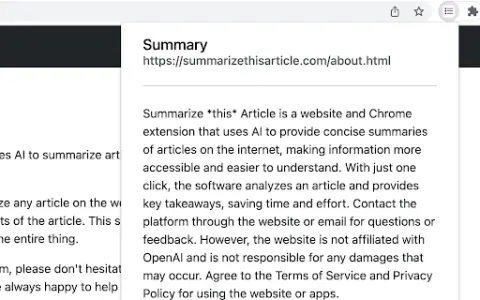
The Chrome extension that uses OpenAI to generate article summaries allows users to customize the length of both the prompts and the generated summaries.
Introduction
Chrome extension using OpenAI to summarize articles with customizable prompts and length.
What is the “Summarize This Article” AI Chrome extension?
In summary, this article describes a Chrome extension that utilizes OpenAI to generate summaries of articles found on the Internet. It allows users to customize the length of the prompts and summaries generated. The user’s API key is securely stored within the Chrome environment.
How to use the Summarize This Article AI Chrome extension?
Install the extension from the Chrome Web Store. After installation, navigate to any article on the Internet and activate the extension. You can customize the prompts and settings as needed; the extension will then use OpenAI to generate summaries for those articles.
Summarize the core functions of this AI Chrome extension/plugin.
Using OpenAI to generate article summaries
Customizable prompts
The length of the summary can be customized.
Storing API keys securely in Chrome
Related
HeyGen
AI-generated digital human videos
HoldTalk
Use the Mac’s voice input feature by holding down the FN key while speaking.
Hera
An AI canvas that integrates image design with dynamic effects
Scrollsnacks
A video library of product release videos, broken down by second.
Cosyra
The terminal where Claude Code runs on mobile devices
LiveReview
Code review with automatic approval based on risk levels