AI TOOL / #02659
smudge.ai
Chrome extensions: The AI tools available in the right-click menu can be used for text processing.
Introduction
Chrome extension with AI tools in your right-click menu for text manipulation.
What is Smudge.ai?
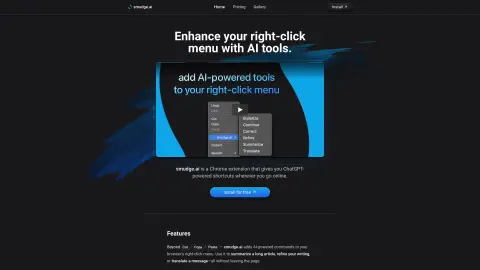
Smudge.ai is a Chrome extension that integrates AI tools directly through the right-click menu. It allows users to save and reuse ChatGPT suggestions online and provides built-in commands for refining text, summarizing content, and translating it. While you are online, it offers convenient shortcuts powered by ChatGPT, enabling you to summarize articles, edit your writings, or translate information without leaving the page you are on.
How to use Smudge.ai?
After installing the Smudge.ai Chrome extension, you simply need to highlight any text on a web page, right-click on it, and then select the available AI commands from the context menu. You can also customize the toolset using built-in commands or create your own commands.
The core functions of Smudge.ai
Right-click and select the AI command.
Customizable commands
Integration of ChatGPT
text summary
grammatical correction
translation
Summarized into key points
Text refinement
Related
Solidroad
An AI dialogue simulator used for sales and customer service training, as well as quality assurance purposes.
flAI
Online English learning platform with native tutors and artificial intelligence-driven features.
Socratify
Socratify is an AI coach that helps business professionals improve their critical thinking and communication skills.
Lunda.ai
AI-based sales coaching platform to improve sales performance.
Zipgoals
Zipgoals is a diary application that motivates and inspires users to achieve their goals.
Persuwise
An AI-powered email assistant designed to facilitate effective outreach and accelerate the receipt of positive responses.