AI TOOL / #02603
DeckAssistant
Stream Deck plug-in for AI assistant, supports custom prompts and chat management.
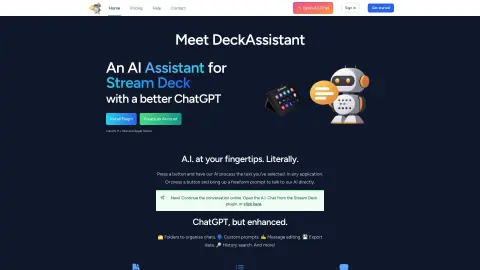
Introduction
Stream Deck plugin for AI assistance with custom prompts and chat management.
What is DeckAssistant?
DeckAssistant is a Stream Deck plug-in that puts artificial intelligence at your fingertips. It allows users to work with selected text in any application, use any prompt, or talk directly to the AI using free-form prompts. It provides a better ChatGPT interface, with functions such as folder organization of chats, customized prompts, message editing, data export, historical search, collection, screenshot export, prompt library, chart sharing, Google integration and image generation.
How to use DeckAssistant?
To use DeckAssistant, create an account, copy the API key from the dashboard, install the Stream Deck plugin, add a button, paste the API key, and press the button to start using the AI. You can select text in any app and process it with the press of a button, or use free-form prompts to ask the AI questions.
DeckAssistant Core Features
AI processing of selected text
Freeform AI prompts
Customizable prompts
Folders to organize chats
Message editor
Data export
Historical searches
collect
Screenshot export
prompt library
Chart sharing
Google integration
image generation
Related
Doubleword
Batch inference cloud for open-source models
Image Metadata Removal (PixPix)
Clearing EXIF/XMP/C2PA data
Image Color Palette (PixPix)
Extract the primary color from the HEX color palette.
AionClaw
Desktop AI agent
Converting Images to PDF (PixPix)
Combining multiple images into a PDF file
Photo Horizontal Correction (PixPix)
Level the tilted horizon with just one click.