AI TOOL / #02529
Text to Google Calendar
Chrome extension: Allows users to create Google Calendar events directly from highlighted text.
Introduction
Chrome extension to create Google Calendar events from highlighted text.
What is the Text to Google Calendar AI Chrome extension/plug-in?
Text to Google Calendar is a Chrome extension designed to simplify the process of creating events on Google Calendar. It allows users to highlight text from emails or web pages and convert that text into calendar events with just one click, eliminating the need to manually copy and paste event details.
How to use the Text to Google Calendar AI Chrome extension?
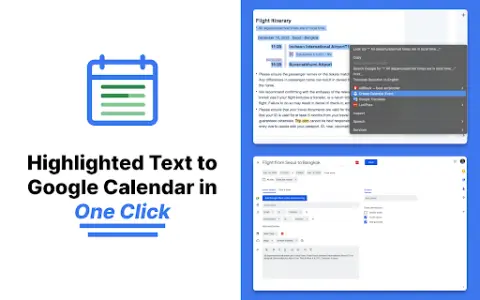
Install the Text to Calendar Chrome extension. Highlight the relevant text containing event details (date, time, description, location) on a web page or in an email. Click the extension icon, and it will automatically use the extracted information to create a Google Calendar event.
The core functionality of the Text to Google Calendar AI Chrome extension.
Click to create an event based on the highlighted text.
Automatically fill in the time zone, location, and event details.
Easily create multiple and duplicate calendar events.
Related
Wordkraft
All-in-one AI platform with over 250 content creation and marketing tools.
Logic Lister AI
An artificial intelligence-powered e-commerce assistant, used for generating product lists, descriptions, and blog content.
predraft.ai
An AI-powered SEO content creation tool that possesses both research and writing capabilities.
Blaze Designer
AI marketing platform that generates blogs, posts and videos that match your brand’s voice.
Splitter.ai
An AI audio processing company dedicated to using artificial intelligence for the separation of music tracks.
Podcastle
An AI-powered platform designed for the creation, editing, and distribution of professional-quality videos and podcasts.