AI TOOL / #02212
Dealfront Connect
An GDPR-compliant B2B database browser extension that facilitates quick prospect identification.
Introduction
A GDPR-compliant B2B database browser extension for easy prospecting.
What is the Dealfront Connect AI Chrome extension/plug-in?
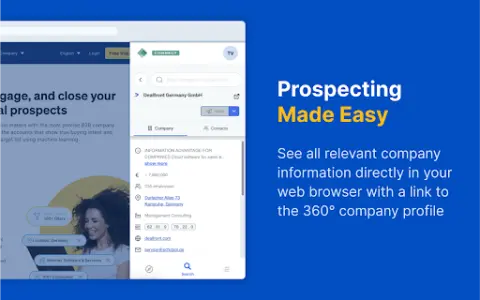
Dealfront Connect is a browser extension designed to simplify the process of identifying B2B potential clients by providing company information and contact details directly on their official websites. Its purpose is to save time and enhance the efficiency of sales and marketing efforts, while also offering up-to-date data that ensures compliance with GDPR regulations, obtained through trade registration systems and AI analysis techniques.
How to use the Dealfront Connect AI Chrome extension/plug-in?
Install the Dealfront Connect Chrome extension. When you visit a company’s website, this extension will automatically display relevant company information and contact details. Use the “Copy to clipboard” function to transfer the data to your CRM or other system. For more detailed information, please switch to the 360° Company Profile section within Dealfront Connect.
The core functions of the Dealfront Connect AI Chrome extension/plug-in
Display the company’s information and contact details directly on the website.
Provide the most up-to-date B2B data that complies with GDPR regulations.
Provides a convenient data transfer function, allowing data to be copied directly to the clipboard.
Supports synchronization with CRM systems and sales communication tools.
Allows users to organize companies and contacts into lists.
Related
Ardent
Database branch for coding agents to AI
AI watermark detection (PixPix)
Read-only detection of AI traces
Image Color Picker (PixPix)
Hover to select color in HEX/RGB format.
Screenshot Beautification (PixPix)
Gradient background rounded shadow
PDF Splitting (PixPix)
Extract and split page by page
Adding a watermark to images (PixPix)
Text watermark with flat layout and corner markers