AI TOOL / #02175
Whoz
LinkedIn extensions, used to capture profile information and automatically populate the Whoz talent pool.
Introduction
LinkedIn extension to capture profiles and automatically populate Whoz talent pool.
What is the Whoz LinkedIn Extension for Chrome? What is this extension/piece of software?
The Whoz LinkedIn extension enables users to capture LinkedIn profiles and automatically add them to their Whoz talent pool. It simplifies the screening process by allowing users to directly add the profiles they are interested in to the Whoz database. Furthermore, it leverages Whoz’s AI capabilities to perform professional expertise assessments, evaluate the relevance of these profiles, track the recruitment process, and add notes during interviews.
How to use the Whoz LinkedIn Extension for Chrome?
1. Install the extension.
2. Go to Whoz, log in, and navigate to your Whoz workspace (any page that starts with https://www.whoz.com/workspace/…).
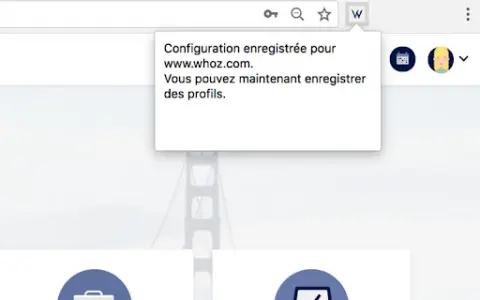
3. Click the expansion icon; a message confirming the configuration will appear.
4. Log in to LinkedIn, check your profile, and click on the extension icon. A confirmation message will appear in your Whoz talent pool, indicating that your profile has been added.
What are the core functions of the Whoz LinkedIn Extension for Chrome?
Automatically capture profiles from LinkedIn and import them into Whoz.
AI-based detection of professional knowledge and skills
AI-based assessment of profile relevance
Recruitment process tracking
Interview Notes
Related
ASSIST Biz
ASSIST is a document management software for financial recordkeeping with automated data extraction capabilities.
FormToExcel
Use AI to convert forms and images into Excel files, thereby enabling automatic data extraction.
O.Translator
AI-based document translation tool that maintains the original format.
AnyParser
AnyParser simplifies the process of data entry by enabling accurate data extraction and providing effective privacy protection measures.
Pizi – AI Assistant for Multiple PDFs
An AI assistant designed for multi-file analysis, document summarization, translation, and the solution of mathematical problems.
PoliticHook
PoliticHook tracks congressional stock trades and sends real-time alerts.